When someone buys a digital product from your shop, the first thing they see sets the tone for the whole experience. And while most people think about the product itself, the delivery moment matters just as much.
At CPC, we’ve built a habit of creating a polished “Thank You For Your Download” PDF for every product in the shop. It’s simple, on-brand, and instantly makes your digital product feel more premium – while guiding your customers to exactly what they purchased.
Today we’re breaking down how to create one for your own shop, along with a free Canva template you can plug in and customise!
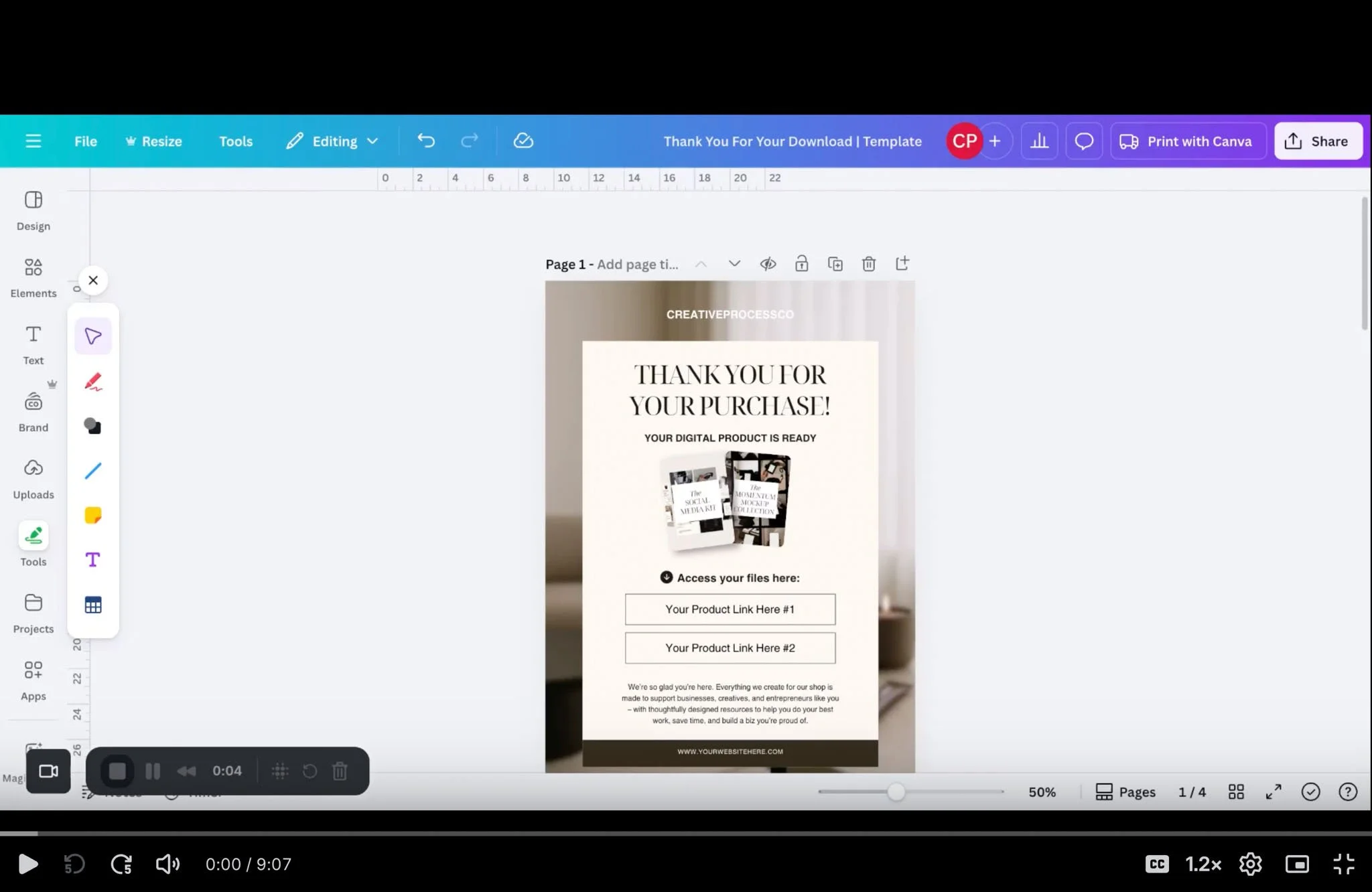
Why you need a “Thank You For Your Download” PDF
Digital product delivery can get messy: Different file types, multiple links, and customers wondering where to click. A well-designed PDF solves that.
A strong PDF does three things:
Keeps your brand front and centre
It reinforces the aesthetic and professionalism your customers saw on your sales page. Clean graphics, consistent fonts, and a simple layout build trust right away.Centralises access
One PDF. One place to click.
Drop your Dropbox/Google Drive links inside, and customers instantly know where to go.Adds value beyond the download
You can include:
A quick “How to use this template” guide
Tips to get the most out of the product
Links to tutorials
Support contact info
A link to your full product library
Your social handles
This turns a simple download into a seamless, supportive experience.
What to include in your PDF
Here’s the general structure we recommend:
Brand Header
Your logo or wordmark – nothing fussy, just clear and intentional.Short “Thank You” Message
A warm, concise welcome that celebrates the buyer and sets expectations.Product Access Links
The most important part! Use bold buttons or simple hyperlinked text leading to Dropbox/Google Drive folders. Make it unmistakably obvious where they need to click.How To Use This Product
Keep it practical: What program it works in, quick steps for editing and any common troubleshooting notesHelpful Extras
Optional but powerful: Video walkthroughs, recommended tools, matching products they might like, permission/licensing reminders for PLR itemsStay Connected Section
Add your website, Instagram, Pinterest, or email list link
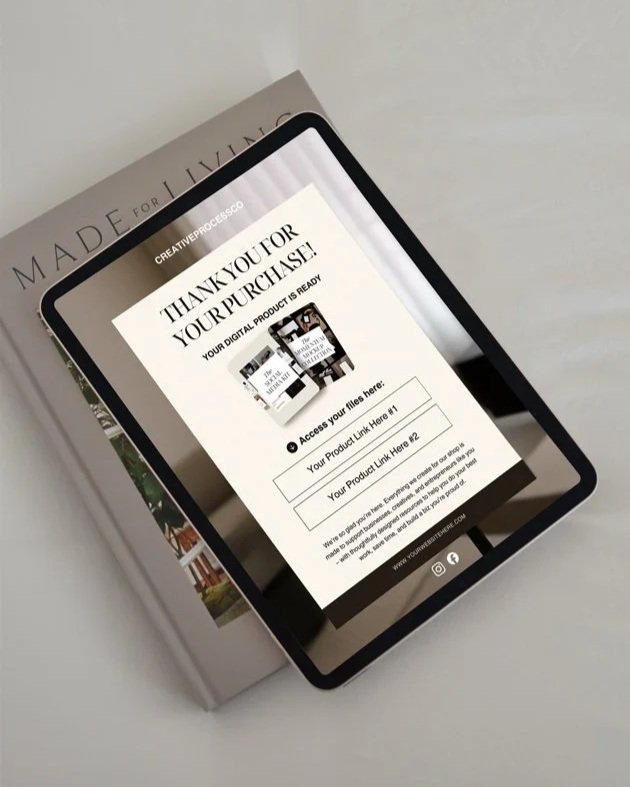
Free Download: “Thank You For Your Download” PDF Template
We’ve turned our shop layout into a free Canva template you can grab and customise in minutes.
It includes:
A clean, modern layout
Space for multiple download links
A “How to Use This Product” section
A footer for your social links
Easy brand colour and font swapping
This is the exact format we use in our store – now it’s yours to tweak and use.
Our final thoughts
If you want your digital products to feel high-quality, professional, and trustworthy, experiences matter. Your thank-you PDF isn’t a throwaway – it’s a touchpoint that reinforces your brand and helps your customer get value quicker.
Start using one for every product, and see how much smoother your customer experience feels.